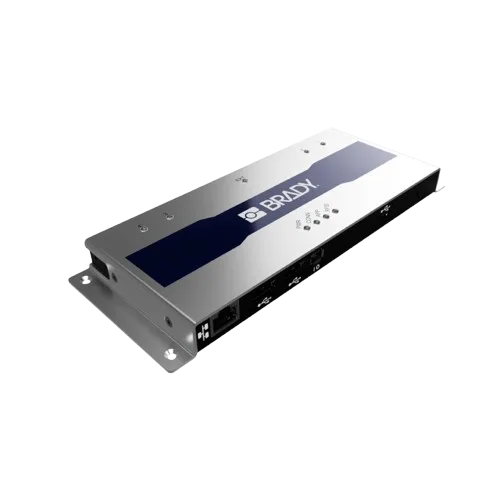
Brady FR22 Lite 4-Port RFID Reader
Entry-level 4-port RFID reader
From €1,195
Other
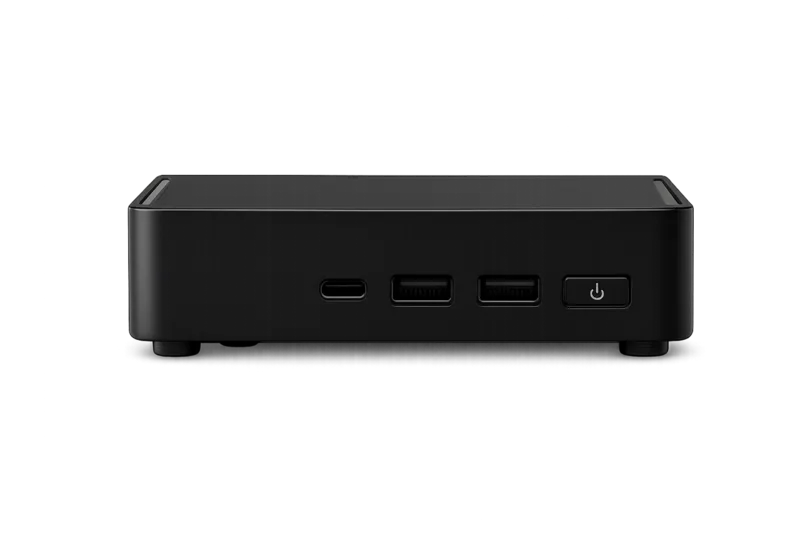
Connect the Beam IoT Bridge to your local network via Ethernet or WiFi. It automatically discovers fixed RFID scanning equipment, makes them cloud-connected and continuously scans RFID tags. All processed in real-time through the Beam RFID platform.
The Beam IoT Bridge sits on your local network and automatically finds fixed RFID readers like the Impinj R700 or Brady FR22. Once discovered, it makes them accessible online through the Beam RFID platform. Every RFID tag read is automatically logged to the cloud in real-time, giving you full visibility over scanned items from anywhere.
With the Beam IoT Bridge, your fixed RFID readers run continuously in the background. Tags are scanned and processed automatically through the Beam platform. Ideal for dock doors, portals, warehouse zones or any location where you need 24/7 RFID monitoring. Set it up once via the Beam app (Devices > Add Device > Beam Bridge) and the Bridge takes care of the rest.
The Beam IoT Bridge is a device you connect to your local network (via Ethernet or WiFi). It automatically discovers fixed RFID readers on the same network and makes them cloud-connected. This means all RFID tag reads are logged to the Beam platform in real-time, and you can monitor, configure and manage your scanners remotely from anywhere.
Connect the Bridge to your network using an Ethernet cable or WiFi. Then in the Beam app, go to Devices > Add Device > Beam Bridge. The app scans your network for available Bridge devices. Tap the discovered Bridge to connect it, give it a name (e.g. 'Warehouse Bridge') and you're done. The Bridge runs continuously in the background from that point. Full setup documentation is available in the Beam docs.
The Beam IoT Bridge supports multiple RFID readers simultaneously. The exact number depends on your setup and scanning frequency. For most installations, a single Bridge handles the full RFID infrastructure.
The Beam IoT Bridge buffers all tag data locally during network interruptions. Once connectivity is restored, all buffered reads are automatically synchronized with the Beam platform. Your RFID readers continue scanning during outages. No data is lost.
Yes. For any fixed RFID setup (portals, dock doors, overhead readers, zone monitoring), the Beam IoT Bridge is required. It is the component that connects your on-site RFID readers to the Beam cloud platform, enabling remote management, continuous scanning and automatic cloud logging.
The Beam IoT Bridge is for RFID readers. It discovers and cloud-connects fixed RFID scanning equipment. The Beam Print Bridge is for label printers. It connects a printer to the cloud so you can print from any device via the Beam app. They are separate devices for different purposes.
A reader’s ability to connect does not prove that every tag can be read reliably in every environment. That is why hardware, tags, products, read zones, volumes and exceptions are tested together before any performance commitment becomes part of the scope.
Product specifications describe the device. The right model, connectivity, availability and price are confirmed in your quote.
Discuss your requirements →