Beam Print Bridge
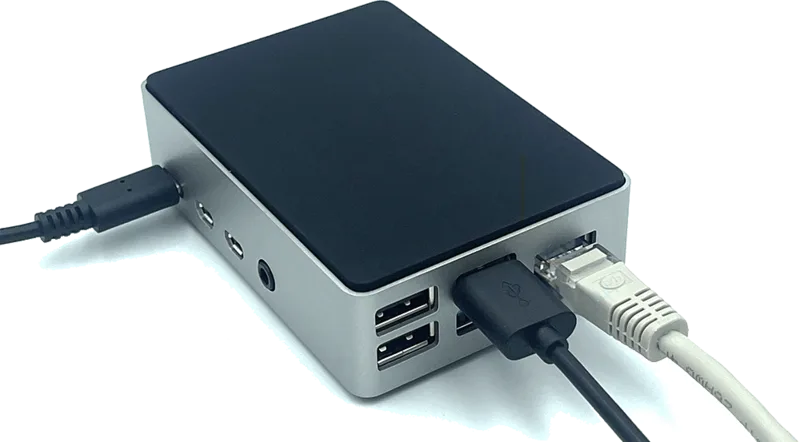
Cloud bridge connecting any printer to Beam
From €289
+ €25 / month
Printers
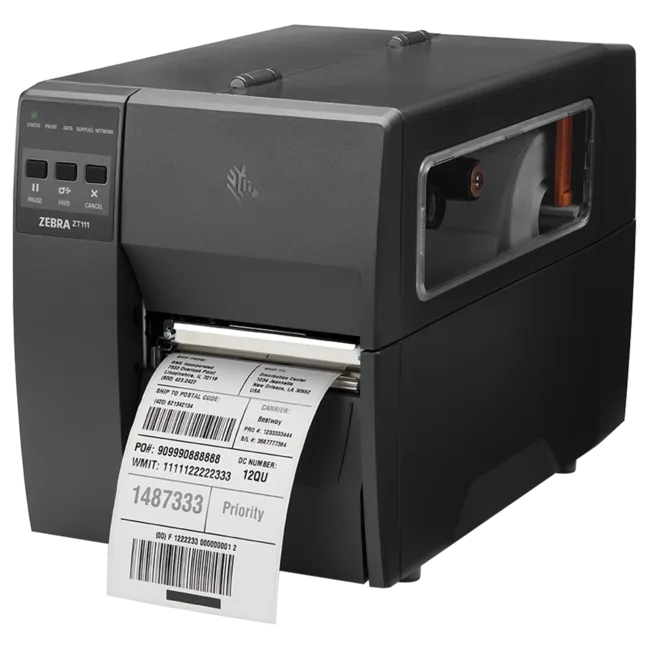
Industrial thermal transfer label printer perfect for any warehouse environment. Fast 203dpi printing at up to 10 inches per second. No RFID module. Ideal when you only need standard label printing. Connects to Beam via Print Bridge for cloud-based management.
The Zebra ZT111 delivers fast, reliable label printing for shipping labels, packing slips, location labels, and more. At 10 inches per second, it keeps up with the busiest warehouses. Simple to load, simple to operate, built to last.
Connect the ZT111 to the Beam platform via Print Bridge. Send print jobs from any device, manage label templates centrally, and keep your printers running without IT overhead. No drivers to install on individual computers.
The ZT111 is designed for environments where standard label printing is sufficient. Shipping labels, location markers, packing slips. If you don't need RFID encoding on your labels, the ZT111 offers excellent performance at a lower price point.
Yes, the Zebra ZT111 connects to the Beam platform via the Beam Print Bridge. The Print Bridge provides cloud connectivity so you can send print jobs, manage templates, and monitor the printer remotely.
Thermal transfer uses a ribbon to print, producing durable labels that resist heat, moisture, and chemicals. Direct thermal prints without a ribbon but labels can fade over time. Choose thermal transfer for long-lasting labels, direct thermal for temporary labels like shipping.
The ZT111 does not support an RFID upgrade module. If you need RFID label printing, consider the SATO CT4-LX or CL4NX which have built-in RFID encoders. The ZT111 is specifically designed for non-RFID label printing.
Yes, the ZT111 supports ZPL, ZPL II, EPL, EPL2 and ZBI 2.0 command languages. If you have existing label templates from other Zebra printers, they will work with the ZT111. You can also design new templates in the Beam platform.
A reader’s ability to connect does not prove that every tag can be read reliably in every environment. That is why hardware, tags, products, read zones, volumes and exceptions are tested together before any performance commitment becomes part of the scope.
Product specifications describe the device. The right model, connectivity, availability and price are confirmed in your quote.
Discuss your requirements →